Getting Started
The algoseek Datasets API provides institutional-grade historical market data, engineered for quantitative researchers, data scientists, and developers. With it, you can programmatically access high-fidelity datasets including Equities, Futures, Options, and more.
To get started, you will need to sign up for an account and authenticate your requests using an API key.
Authenticate Your Request
Before you can access algoseek data, you need your unique API key.
Obtaining Your API Key
- Sign up or log in to your algoseek Console.
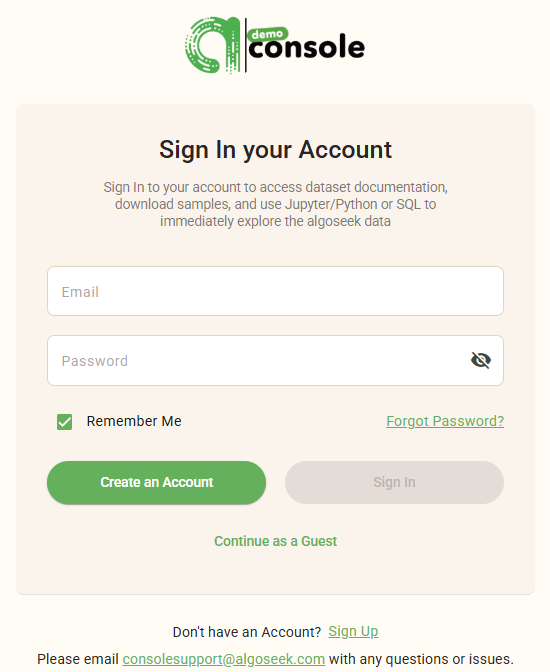
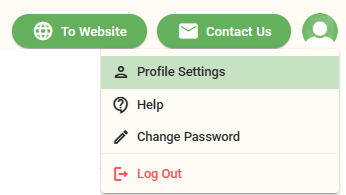
- Go to your Profile Settings, and open the Team Authorization tab.
- Generate your API key.
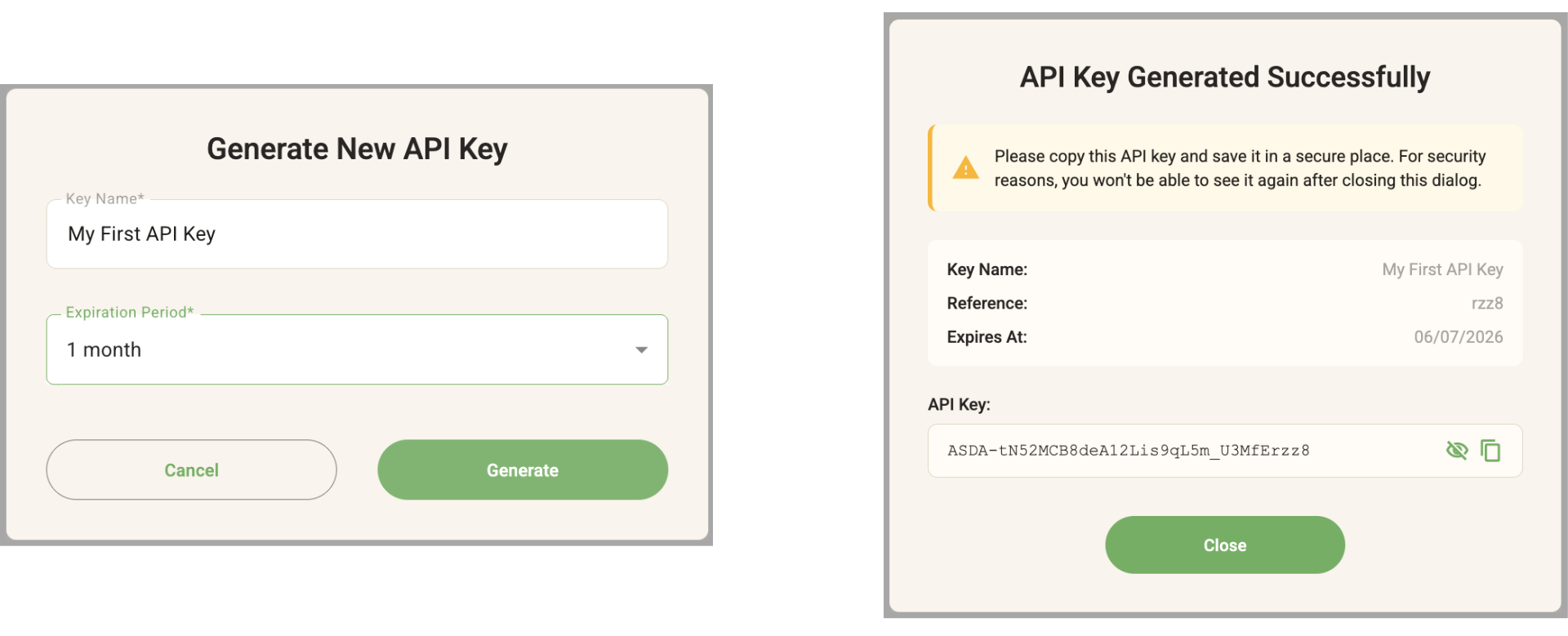
Keep your API key secure; it provides full access to your subscription and account details.
Header Authentication
The algoseek API requires authentication via a custom HTTP header. You must include your key in the X-API-KEY header for every request:
GET /api/v1/account/my HTTP/1.1
Host: https://api.devalgoseek.com
X-API-KEY: YOUR_API_KEY
Replace YOUR_API_KEY with your actual API key from your dashboard.
Making Your First API Request
At your terminal, let’s make a simple request using the curl command to the Identity endpoint. This confirms your authentication is working and returns your account details.
cURL
curl -X --get \
    https://api.devalgoseek.com/api/v1/account/my \
     -H "X-API-KEY: YOUR_API_KEY"
This command retrieves your identity record. If you omit the header or use an invalid key, you will receive a 403 Forbidden error.
Understanding the API Response
All REST API endpoints from algoseek return data in a structured JSON format. For the identity request above, you will see a root-level object containing your account information.
JSON Response
{
  "identity_id": 1622,
  "name": "John Doe",
  "max_active_api_keys": 6,
  "ip_subnets": [
    "3.52.0.0/24",
    "164.12.58.10/32"
  ]
}
Exploring Available Data
Once authenticated, you can explore the datasets available to you by querying the Metadata endpoint. This is the best way to discover the dataset_id values required for fetching actual market data.
cURL
curl -X --get \
    https://api.devalgoseek.com/api/v1/meta/datasets \
     -H "X-API-KEY: YOUR_API_KEY"
Example Response
[
    {
        "dataset_id": "US1033",
        "dataset_text_id": "eq_taq_1min",
        "dataset_name": "US Equities Trade and Quote Minute Bar",
        "data_group": "Equity",
        "vendor": "algoseek"
    },
    {
        "dataset_id": "US1034",
        "dataset_text_id": "eq_taq_1min_ext",
        "dataset_name": "US Equities Trade and Quote Extended Minute Bar",
        "data_group": "Equity",
        "vendor": "algoseek"
    },
    {
        "dataset_id": "US1035",
        "dataset_text_id": "eq_taq_1min_nofinra",
        "dataset_name": "US Equities Trade and Quote Minute Bar Excluding FINRA/TRF Trades",
        "data_group": "Equity",
        "vendor": "algoseek"
    }
    ...
]
Next Steps
With your first successful API request and an understanding of our authentication and metadata structure, you are prepared to explore the data:
- Check Data Status: Use
/api/v1/meta/datasets/{id}/statusto see data availability and last update time. - Inspect Columns: Use
/api/v1/meta/datasets/{id}/columnsto understand the data schema. - Fetch Data: Begin downloading historical data using the
/api/v1/data/paths.
Refer to the full API Reference for detailed parameters and filtering options for each dataset.
Introduction
---
Authentication
Learn how to authenticate your algoseek API requests with an API key and check your monthly usage quotas to manage your bandwidth.
API Headers
Understand request and response headers in the algoseek Datasets API
Quotas
Keeping track of your API consumption is essential for maintaining uninterrupted service and optimizing your data workflows. The Quotas Endpoint provides developers with real-time visibility into their account limits and current activity. Whether you need to debug rate-limiting issues, monitor your per-minute request rate, or simply track your data scanning and retrieval metrics for the month, the following guide outlines how to securely and easily retrieve your usage statistics.
Dataset Schema
This tutorial explains the URL Path Architecture for the algoseek Datasets API. Unlike fixed-endpoint APIs, algoseek uses a hierarchical structure where the URL itself changes based on the Asset Class and the Granularity (Data Type) of the dataset you are accessing.
Error Handling
When building financial applications, backtesting systematic trading models, or conducting academic research, handling API responses accurately is critical. The algoseek Datasets API provides consistent, structured error responses to help quantitative researchers and engineering teams seamlessly troubleshoot issues and maintain institutional-grade reliability.
Access Management
This tutorial provides a guide to obtaining and managing API keys for the algoseek Datasets API. It also provides information on setting up IP Subnets that define trusted networks allowed to use RESTful API services.